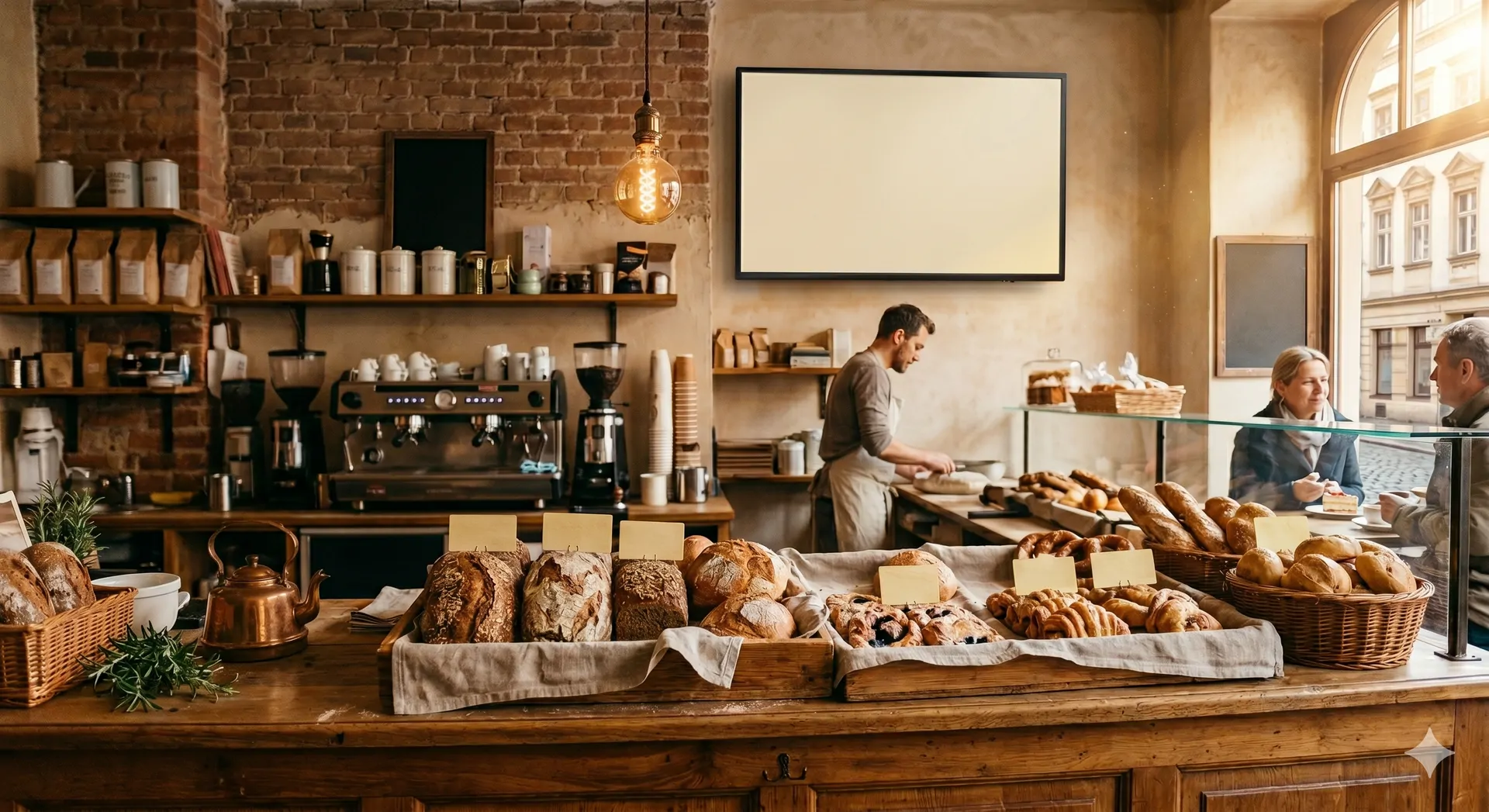
Bakery daily-special updated in 30 seconds by AI prompt
TL;DR: agentView is browser-based digital-signage software made for bakeries and cafe-bakery hybrids. You type a sentence, an AI generates a finished display layout for any smart TV, tablet, or Fire TV Stick behind the counter. Designed for owners and branch managers who need to react in seconds during the morning rush to sold-out rolls, new daily specials, or updated allergen information, without an IT consultant, agency, or waiting time.
Why the chalkboard is a revenue killer at 7 AM
It's 6:48 AM. The first poppy-seed rolls are sold out, the sourdough loaves are still in the oven, three customers are waiting at the counter, the apprentice is baking the next batch. Nobody has a free hand for the chalkboard. By 9 AM, thirty customers have asked in vain for poppy-seed rolls and half of them have walked off to the chain bakery on the high street.
That isn't only service friction. It's measurable revenue loss:
- A customer who asks for a sold-out item rarely picks an alternative. They leave.
- Wrong or missing allergen labels violate EU food-information rules and can cost four-figure sums per incident: returned goods, complaints, bad reviews.
- An unannounced promotion like "filled rolls 30% off from 2 PM" leads to avoidable waste at end of day.
- Skilled-labour shortage means the 90 minutes the apprentice stands at the chalkboard are missing at the counter. That time is now more expensive than any software.
The chalkboard was a tool for an era when the assortment was set in the morning and unchanged by evening. Today the daily special shifts three times a shift.
Where should I start digitizing my bakery?
Digitizing a bakery isn't one project but a bundle of building blocks, each with different cost and impact:
- POS / till system: digital order entry, end-of-day close at the press of a button. Effort high (hardware, training, integration), benefit high.
- Online shop / preorders: customers order ahead, come to pick up. Effort medium, benefit strongly dependent on the share of walk-in traffic.
- Bakery production software (recipes, allergens, baking plan): central bookkeeping over ingredients and quantities. Effort medium to high, benefit very high with multiple branches.
- Digital accounting with DATEV link: saves accountant hours. Effort one-time setup, benefit recurring.
- Digital signage in the shop: daily special, promotions and allergen notices on a screen instead of the chalkboard. Effort low, benefit visible on day one.
Most bakeries start with the block that costs the least setup effort and shows the most visible effect. That's usually the digital display in the shop: a smart TV or Fire TV Stick, a browser, a software like agentView, and the first digital touchpoint with the customer is in place. Once that runs, POS, online shop and bakery production software are the next logical steps.
For a fully digital setup, look for a platform covering all five blocks. That exists as a bakery-specific all-in-one suite (Hofmann, BackWin, Bizerba) starting in the mid-three-digit EUR per month range. For a step-by-step entry, combine specialised tools: a modern cloud till, a preorder shop, agentView for the display, accounting software with DATEV export. Both paths work; the second is significantly cheaper and more reversible.
What does agentView actually do, and what doesn't it?
agentView runs on any screen with a modern browser. Smart TV with Samsung Tizen from 2020, LG webOS from 2021, an old iPad on a wall mount, a 30-EUR Fire TV Stick on a stand. No cloud dashboard with a hundred menu items, no drag-and-drop editor, no training.
You type a sentence, the AI thinks, generates the HTML, the display shows it. About one minute from prompt to image on the shop-floor screen, most of that is the AI itself.
Three real prompts from bakery practice
1. Sold-out update at 7:12 AM:
"Poppy-seed rolls are out. Remove them and place sesame rolls at the top with the note 'Fresh today, 0.55 EUR'."
2. Lunch deal to clear stock:
"Announce all remaining doughnuts at 50 percent off as long as stock lasts. Accent in warm red, font large enough to read from the entrance."
3. Assortment swap with allergen info:
"Remove the pumpkin-seed rolls from the menu and show spelt bread instead, 2.80 EUR per loaf, with note 'contains wheat, oats, may contain traces of sesame'."
Each sentence produces a readable layout in roughly half a minute to a minute. Most of that is the AI understanding the request and generating the HTML. The transfer to the display via Server-Sent Events adds under one second, so the screen switches while the customer is still at the counter.
What agentView explicitly does not replace
agentView is a display system, not a POS or inventory system. It doesn't read sales data, doesn't automatically know the last almond croissants are sold, and doesn't take orders. For a fully integrated solution with till, inventory, and bakery-software pipeline, vendor packages from Hofmann, BackWin, or Bizerba are the right fit. If you simply want to manage the display yourself, you're in the right place.
Who is agentView made for?
- Owner-run bakeries with one to five branches who want to manage their daily special without an agency.
- Branch managers who want to promote local specialities without phoning headquarters ("Today's extra: Black Forest cherry-cake slices, 3.80 EUR").
- Cafe-bakery hybrids with rotating lunch menus (quiche Lorraine today, lentil soup tomorrow, wild-garlic pasta the day after).
- Farm shops and direct marketers with attached bakery sales.
- Multi-culture bakeries in neighbourhoods with mixed clientele. One prompt produces the daily special in two languages at once.
Who it's not for: chains with more than 50 stores and centralised marketing. A platform with HQ-controlled spots wins there.
How fast can I change the daily special on the screen?
Realistically 30 to 60 seconds from prompt to visible content. Most of that is the AI itself: it has to understand the sentence, adapt the template and render the HTML, which depending on model and complexity takes 15 to 45 seconds. The transfer to the display via Server-Sent Events adds under one second. You typed the sentence in the time the espresso machine handles two orders.
For sell-off steering (breakfast leftovers, lunch deal, late-hour discount) that means switching the display three times a day without a single click in an app. Nobody steps in front of the chalkboard, nobody waits on an agency.
How does agentView compare to a chalkboard or a classic ad display?
| Task | Chalkboard | Classic ad display | agentView |
|---|---|---|---|
| Show "poppy-seed rolls are out" | 8 min wiping + rewriting | Email to agency, update next day | 1 sentence, about a minute |
| Update allergen info | Whole card redrawn | Update ticket to vendor | Prompt with "contains …" |
| Adjust lunch deal live | Second board, second handwriting | Generally not possible | One sentence, visible in under two minutes |
| Two languages at once | Doubled board | Manually per language | One prompt, both languages |
| Hardware cost | ~30 EUR board + chalk | 80 to 300 EUR monthly rental | Own smart TV or 30 EUR Fire TV Stick |
| Software cost | None | 50 to 150 EUR per month | 0 EUR or 4 EUR per display |
| Reaction time to a promotion | 20 to 90 minutes | 1 to 3 business days | under one minute |
| POS integration | None | Rarely | REST API and MCP interface |
| If hardware fails | A board is a board | Vendor hotline, wait | Use any browser |
A chalkboard is perfectly fine for a farm bakery with three regulars. A classic ad display is right when your marketing updates once per quarter. agentView is right when your assortment shifts several times a day.
Which screens work with agentView?
Any screen with a recent browser. Tested in practice:
- Smart TVs with Samsung Tizen from model-year 2020
- LG webOS from model-year 2021
- Fire TV Stick with Firefox or Silk Browser (hardware from 30 EUR)
- iPad or Android tablet from generation 2018
- Chromecast with browser app
- Mini PC or Raspberry Pi with Chromium
Nothing to rent, nothing to calibrate, nothing to buy. If the screen can open a browser, agentView runs on it.
What does agentView really cost?
Fully transparent, no sales call:
- Free tier: permanently free, unlimited displays, 20 MB shared storage for your own images, a discreet watermark in the corner.
- Premium: 4.00 EUR per display per month. Watermark removed, cancel anytime, no minimum term, no setup fee.
A bakery with two branches and one display each pays 8 EUR per month or stays on the free watermark plan. No volume rebates, no "price on request", no hidden module fees.
Tutorial: How does the onboarding work in under five minutes?
Five steps, AI-first from the first click. You need a ChatGPT or Claude app (or the browser version) and a one-time MCP connector. After that, creating a display, sending content and every later update is plain conversation with the AI. Realistically six to ten minutes the first time, the connector setup is the longest part. Once it's in place, later updates are SMS-short messages to the AI.
Get the app: Claude iOS · Claude Android · ChatGPT iOS · ChatGPT Android · or in a browser at claude.ai or chatgpt.com.
ChatGPT oder Claude bereitstellen
Install the ChatGPT or Claude app on your phone, or open chatgpt.com / claude.ai in a browser. Both apps speak MCP and drive agentView identically, you only need one. App-store links live in the paragraph above this list.
agentView als KI-Konnektor verbinden
One-time setup, about three minutes. A collapsible step-by-step walkthrough for Claude and ChatGPT sits in the embed right below this tutorial, with direct links into both apps' connectors pages.
Smart-TV starten und Pairing-Code ablesen
Pick one of the display options: a smart TV with a browser, a tablet, or a Fire TV Stick. Open the browser, go to display.agentview.de. For the Fire TV Stick, install Firefox or Silk from the Amazon store once, that's it. The screen displays a six-digit pairing code. This is the one step the AI cannot do for you.
Pairing-Code an die KI übergeben
Tell your AI: "Pair the display with code 482·109 to my account and call it Counter-1." Claude or ChatGPT calls the MCP tool, links the display to your agentView account, and the screen flips from pairing view to its first content. No dashboard click required.
Inhalt per Prompt oder Template Store
First idea by prompt: "Show on Counter-1: almond croissants 2.40 EUR, pretzel 1.20 EUR, until 11 AM." Or have the AI send a ready bakery template from the [Template Store](/templates/food-service): "Send a 'Warm daily special' template to Counter-1." Later updates work the same way: one sentence, the display refreshes live.
How does agentView help with allergen labelling under EU food-information rules?
You write the allergen info directly into the prompt:
"Daily special farmer's bread, 4.80 EUR, contains wheat, rye, may contain traces of sesame, poppy, tree nuts."
The AI renders the mandatory line in readable size right under the product, in the template you picked. When the recipe changes, you type a new sentence, the display updates, your recipe book stays in sync with the display. That's not a certified compliance solution. It's a tool that closes the gap between bakery and counter without anyone redrawing the card at noon.
Can I connect my existing POS or bakery software to agentView?
Yes, via the REST API or the MCP server. If your POS system (Sirius, Vectron, newer cloud-based registers) exposes a sold-out status, an IT consultant or technically inclined acquaintance can build a bridge to agentView. As soon as the till reports "poppy-seed rolls = 0", it sends a prompt automatically; the display reacts without human intervention.
This integration is optional. agentView works fully without a POS, without bakery software, without an API. If you need it, the docs are at agentview.de/developers.html.
Frequently asked questions
How do I best digitize my bakery?
Digitizing a bakery is not a single project but a set of building blocks: POS / till system, online shop / preorders, bakery production software (recipes, allergens, baking plan), digital accounting, and digital signage in the shop. Most bakeries start with the block that costs the least setup effort and shows results on day one: a digital display in the shop, driven by a smart TV or Fire TV Stick and a software like agentView. The other blocks follow step by step.
How do I update my bakery daily-special when I have no time in the morning?
With agentView you type a sentence into your phone, e.g. "Poppy-seed rolls sold out, sesame rolls 0.55 EUR on top". The AI thinks, generates the display layout and pushes it to every screen via Server-Sent Events. Realistically 30 to 60 seconds from typing to refreshed screen, most of that is the AI itself. No hand free for the chalkboard, nobody steps in front of the counter.
What does digital signage cost for a small bakery?
agentView has a free tier: permanently free, unlimited displays, 20 MB shared storage, a discreet watermark in the corner. Premium removes the watermark for 4.00 EUR per display per month, cancel anytime, no setup fee, no minimum term. A bakery with two branches and one display each pays 8 EUR per month or stays on the free watermark plan. No sales calls, no hidden module costs.
Do I need a special TV or vendor hardware for agentView?
No. Any smart TV with a browser works, tested on Samsung Tizen from model-year 2020 and LG webOS from 2021. Alternatives: a Fire TV Stick (~30 EUR) with Firefox or Silk, an iPad or Android tablet from generation 2018, a Chromecast with a browser app, or a mini PC with Chromium. You open display.agentview.de and enter the six-digit pairing code. No vendor hardware, no rental contract.
How does agentView help with allergen labelling under EU food-information rules?
You write the allergen info directly into the prompt, e.g. "farmer's bread 4.80 EUR, contains wheat, rye, may contain traces of sesame, poppy, tree nuts". The AI renders the mandatory line in readable size right under the product. When the recipe changes, you type a new sentence, the display updates, your recipe book stays in sync with the display. agentView is not a certified compliance solution; it closes the gap between bakery and counter.
How fast can I change the daily special on the screen?
Realistically 30 to 60 seconds from prompt to visible content. Most of that is the AI itself: it has to understand the sentence, adapt the template and render the HTML, which depending on model and complexity takes 15 to 45 seconds. The transfer to the display via Server-Sent Events adds under one second. For sell-off steering (breakfast leftovers, lunch deal, late-hour discount) that means switching the display three times a day without a click in any app.
Can I connect my existing POS or bakery software to agentView?
Yes, via the REST API or the MCP server. If your POS system (Sirius, Vectron, newer cloud-based registers) exposes a sold-out status, an IT consultant or technically inclined acquaintance can build a bridge to agentView. As soon as the till reports "poppy-seed rolls = 0", it sends a prompt and the display reacts without human intervention. Optional: agentView runs fully without this integration.
Is agentView GDPR-compliant and where is the data stored?
Yes. Hosting in Germany, data minimisation by default, no tracking of displayed content. We only store what you actively send, namely daily specials, prices and your own images. No customer data, no till revenue. Order processing runs on German servers; the privacy policy lists exact processing purposes. For multi-branch businesses, access is organised via loose groups without external identity services.
Can I use agentView without AI at all?
Yes. You can pick templates from the Template Store and edit prices and texts directly in the dashboard. The AI integration via MCP or REST is optional and aimed at power users with their own bots, bakery software, or POS bridges. An owner-run bakery gets through the day fine with templates and direct edits. You can switch the AI on later if the need grows.
Which languages can I show on the display?
Any language your browser can render, including special characters and non-Latin scripts. The AI also generates daily specials in two languages at once from a single prompt, for example German and Turkish for a multicultural neighbourhood, or German and English in a tourist-heavy city centre. You type one sentence, the display shows both versions readably side-by-side or alternating, depending on the template.
What happens if the shop's internet drops?
The last loaded content stays visible on the display. Brief outages from seconds to minutes go unnoticed. For longer outages you see the last sent state until the connection returns. The browser on the smart TV or Fire TV Stick keeps the frame in memory. On reconnect the screen automatically syncs to the current state you set by prompt in the meantime.
The most common questions about agentView in the bakery are embedded below as structured answers. If your question isn't here, check the general FAQ.
Providers in the DACH region
| Provider | Website | Profile |
|---|---|---|
| agentView | agentview.de | Browser-based, AI control via MCP, GDPR-compliant, hosted in Germany |
| Backdigital | backdigital.de | Bakery specialist, hardware-inclusive packages, consulting included |
| hylab+ Media | hylab-media.de | Hardware-plus-software bundle, Berlin-based DACH provider |
| komma,tec red | www.kommatec-red.de | Hamburg enterprise provider, custom projects, hardware sales |
| SignyFlow | signyflow.de | Full-service with design and hardware, single-source consulting |
| Xibo | xibosignage.com | Open source, self-hostable, globally adopted, technical setup required |
Anyone interested in a digital bakery display has several options in the German-speaking region. The list below is alphabetical, neutral, and without rating. Which provider fits depends on hardware preference (browser or vendor device), pricing model (freemium, subscription, one-time), and service need (self-service or included consulting).
Which other industries does agentView cover?
agentView is industry-neutral. Because the AI generates the layout at runtime, the software works without modification in any industry where a screen makes sense. This page is the first fully-written use-case guide. Further example pages are in preparation:
- Waiting-room TV for medical practices
- Salon display with daily special
- Digital door sign for offices
- Hotel lobby and restaurant menu board
The full list of published industry pages lives at agentview.de/branchen. If your industry isn't covered yet, get started anyway: browse the food-service templates or another fitting category in the Template Store for a starting point, then tell the AI what to adjust by prompt.